Best 3G Providers In India


Mobile technology has been on the developing side since a bit of time. In some of the recent years,
India has experienced some revolutions in mobile technology  and Internet like 3G and then 4G LTE. While 4G is not so popular till now in India, 3G has reached to every city and telecom circle. 4G has been launched in a few cities, but the data plans on 4G LTE networks are much higher as compared to 3G and GPRS plans. Pricing is one of the reason why $G has not been so popular till now.
It is pretty obvious that 4G will take a bit of time before it gets popularity in Indian Markets, 3G can be a good bet if you want to have a data connection with a good speed. Al tough 3G prices are also a bit out of budget and costlier as compared to some of the broadband services, but 3G gets an edge because of the portability. Generally 3G internet comes in a SIM card which you have to put into your data card and then use. So it becomes very easy for you to port your device and the internet connection.
 When it comes about choosing the best 3G internet provider, you can go out to have a lot of choices. Almost all of the telecom operators in India have 3G services today. But services for a particular telecom operator are not countrywide. All those operators have got license to launch their 3G services in some circles. Below is a detailed list of al those states where a particular service provider has got 3G license
1.Aircel: Andhra Pradesh, Assam, Bihar and Jharkhand, Jammu and Kashmir, Karnataka, Kerala, Kolkata, North East, Orrisa, Punjab, Tamil Nadu, UP(E), West Bengal.
Total- 13 circles.
2. Bharti Airtel: Delhi, Mumbai, Andhra Pradesh, Tamil Nadu, Karnataka, UP(W), Rajasthan, West Bengal, Himachal Pradesh, Bihar, Assam, North East, Jammu and Kashmir.
Total- 13 circles.
3. BSNL: All India except Delhi and Mumbai.
Total- 20 circles.
4. Idea Cellular Limted: Maharashtra, Gujarat, Andhra Pradesh, Kerala, Punjab, Haryana, UP(E), UP(W), Madhya Pradesh, Himachal Pradesh, Jammu and Kashmir.
Total- 11 circles.
5. MTNL: Delhi and Mumbai.
Total- 2 circles.
6. Reliance Communications Limited: Delhi, Mumbai, Kolkata, Punjab, Rajasthan, West Bengal, Himachal Pradesh, Bihar, Madhya Pradesh, Orrisa, Assam, North East, Jammu and Kashmir.
Total- 13 circles.
7. Tata Docomo: Maharashtra, Gujarat, Karnataka, Kerala, Haryana, Punjab, Uttar Pradesh(W),Rajasthan, Madhya Pradesh.
Total- 9 circles.
8. Vodafone: Delhi, Mumbai, Maharashtra, Gujarat, Tamil Nadu, Kolkata, Haryana, UP(E), West Bengal.
Total- 9 circles.
In some of the circles, operators have come up with sharing the license, for eg : If one operator does not have 3G license for a particular circle, that can share the license with another service provider by paying a certain amount to that network.
Well, I have not experienced 3G internet all over India, but for a few circles like Rajasthan Delhi, Hyderabad, Guwahati, Karnataka, I have a bit of experience. All those network providers which I have used in these circles for 3G network are Tata Docomo, Aircel, Airtel and Reliance.
Talking about speed, Airtel takes the top slot on the list, as I felt it great while using Airtel 3G. The speed was too good and I constantly got over 4 mbps browsing speed and around 500-600 kbps downloading speed. Anyways, speed in a 3G network is never an issue irrespective to the network, but the main thing which arrives is the consistency. Airtel has been consistent over the period of time I have used this. Aircel and Reliance are not too far behind. But Tata Docomo seriously needs a lot to work in this field. Tata docomo’s network keeps fluctuating while you are running on a 3G network and your data connection keeps disconnecting and reconnecting.
While Airtel takes the top slot in terms of speed and consistency, you need to think a bit about the price too. Because users in India want an affordable data plan and it that regard, Aircel is the best. 10 GB 3G data with unlimited 2G internet costs Rs 997 in Aircel. The same pack s available for Reliance in Rs 1099 and Airtel charges Rs 1500 for the same pack.
Airtel and Aircel give a speed of 128kbps after you have used your bundled 3G data, but Reliance give a hectic speed of just 64 kbps which is surely a negative point for it.
In the comparison I did above, Aircel surely tops the list because of the pricing and not so bad speed and connectivity. I ave used Aircel over a period of time and also the 2G internet pack of Aircel which offers your truly unlimited Internet at just Rs 98 is the most popular data pack till date. I hope you liked this  article of mine, do let me know if you have some doubts about anything and I will be very happy to answer them

Top 3 Android Tethering Apps to Turn your Phone As a Modem


Top 3 Android Tethering Apps to Turn your Phone As a Modem

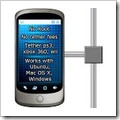
Tethering is the common word used in Android networking to share your phone’s internet connection with other devices, say PC, other phones, tablets etc. Mobile data plans are cheaper than ever now and anyone can afford a decent data plan these days. So if you don’t have any separate data connection for your laptop/PC, don’t worry just share your phone’s data with these cool Tethering Android apps.
  1. 1. PDANet 3.50
Well, this is the prior app I would recommend you if you look for simplicity and friendly user interface. PDANet has been providing outstanding feature to the users with two connection modes.
  • USB Tethering
  • Bluetooth DUN Mode
In USB tethering mode, you can just connect your phone to the second device (here, the device you want access net) via USB data cable. While in second case, you don’t need data cable as the name says. It works on Bluetooth data transfer. But the limitation is that your second device must be Bluetooth enabled. However, USB dongles are cheaper than ever and you can easily grab one from the store. Simple. :D
You have to download the PC version of PDANet separately in order to access the internet connection. Just install the apk file first and open. It will ask you if you want download the PC file. Click yes and proceed. Alternatively, you can also download the files from the official site.
2. Easy tether Lite
Easy tether is also an amazing application to share the data. Unlike PDANet, this app only has USB tethering, here lacks BT DUN sharing. However it it doesn’t make any issue because most of us prefer USB connection instead of BT commonly. This app requires registration to access SSL sites like Gmail, Facebook etc. There is a trick to register the app without purchasing.
How To Register for Full Version [Hack]
  1. Download the older version of Easy Tether Lite by googling.
  2. Install on your phone and open.
  3. Go to settings option and you may see the IMEI version of the phone as well as the unique registration code. Just note the code.
  4. Now uninstall the app and again download the latest version from HERE
  5. Now install and open. Go to settings and register with the code that you have noted.
3. Barnacle WiFi Tether
This is considered as the best wi-fi tethering application, it works perfectly and is free + open source. So no matter how much you use you are not going to be get charged for it, now its interface is also cool, so you will like it. You can even see how much data has transferred and how much you have received. So overall it’s a nice application for tethering your connection to any device, X-Box, Computer, Tablets, Linux anything.
Over To You
Hope you have enjoyed this share. Do let me know if you personally use any other top tethering app. Kindly share here an let others know. Also drop your valuable feed backs and queries below to get instant help.

Root Micromax A116 Canvas HD With Customised ROM


Root Micromax A116 Canvas HD With Customised ROM

How to root Micromax A116 Canvas HD

I’m actually bored of saying  disclaimer again and again but if you are new to rooting, I’ve only one word to say, Rooting voids warranty and may cause bricking of your phone.
Not all rooting goes wild. Here we exploit the power of Bin4ry’s rooting tool which reports very few fatal errors or device bricking.
The most interesting piece is that It won’t lose your warranty as it can revert your phone to stock stage anytime. Yes, you can unroot the device at anytime. 

Requirements
1. Generic version of Micromax A116 Canvas HD ( never try with other variants as it may lead to device bricking.)

2. Micromax A116 drivers.

3. Bin4ry’s rooting tool
http://www.mediafire.com/?cnvohexs662qvo9

4. Backup of current data. For your safety, it’s always recommend to take proper backups before proceeding any rooting tasks.
Backup your messages, contacts (will be automatically saved to Google if contact sync is enabled.), necessary files and almost all important files. Either move the files from device to another storage device or sync to cloud.
5. Enable USB debugging on your
Micromax A116 Canvas HD. (Go to
Settings > Developer Options >
Check mark “USB Debugging” and
then tap OK button).
Procedure on rooting Micromax A116 Canvas HD
1. Extract Bin4ry’s rooting tool to your PC.
2. After installing phone drivers on PC, connect the phone and let it rest.
3. Go to the folder named “Root_
with_Restore_by_Bin4ry_v18
and run the “ Runme.bat ” file.
If you had read my Canvas 2 rooting guide, you might have known the following steps.
4. You may see a command box after opening the file in step 3. Type “1″ to go for Normal mode.
Note : In the same scenario, put the value as “x” instead of “1″ to unroot. 
5. Just read the further steps from the window and wait until it finishes copying necessary files and reboot.
Violaaaa. You’ve successfully rooted your Micromax A116 Canvas HD with Bin4ry’s Rooting Tool. How simple it’s?

Airtel Working Proxy For Mobile and PC April 2013


Airtel Working Proxy For Mobile and PC April 2013

Below are the methods for using this trick on various platforms . follow eh instructions properly before implementing.

For mobile:
Account Name: Airtel
Access point: airtelgprs.com
Proxy: enabled
Proxy IP: 85.17.141.35
Port: 80
Homepage: any working IP for airtel in your state.
(For Punjab and Delhi use 202.46.201.112 or 203.115.112.5)
For PC:
For using this trick on PC you need to configure you Browser to use proxy ip.  First of all Click on Tools menu from the menu bar. Click on the options sub menu now click on the Advance menu, Go to the Network tab and then Click on settings. Here you go, just write the Proxy IP and Port which is given above and click on use it for all protocols. You are done with the configurations. Just open the working homepage and Enjoy free internet.

Unlock Idea NetSetter 3G Modem (Huawei e1732)


Unlock Idea NetSetter 3G Modem (Huawei e1732)

Trick to unlock  huawei idea netsetter e1550 latest firmware permanently. Its an easy process to unlock your idea netsetter modem without using any thirs party software.
The Trick Works  on New Idea Netsetter i:e Huawei E1732.
The trick works on Vodafone 3g too

 How to Unlock Idea Netsetter (Huawei E1732)

THINGS REQUIRED:

1). Sola GSM Calc(download link given below)
2). Idea Net Setter 3g (huawei e1732)

Follow the steps carefully to unlock your modem successfully:
How to Unlock Idea Netsetter (Huawei E1732)
Step1: Download and install Sola GSM Calc software
Step2: Run the software and connect the modem to the computer USB Ports.
Step3: Goto ‘Settings’ Tab and select com port until your modem is recognized by the software.
Step4: Now select Huawei Unlocker Tab.
Step5: First select RELOCK and press DO JOB button.
Step6: After that select RESET LOCK and press DO JOB button.
Now your Modem should be unlocked and insert other networks sim and enjoy…

How to Unlock Idea Netsetter (Huawei E1732)

Download Sola GSM Calc software from here: DOWNLOAD

Samsung Galaxy Note 8.0

Here comes Samsung Galaxy Note 8.0 with awesome features.let me describe about it.
Image has been scaled down 22% (500x313). Click this bar to view original image (640x400). Click image to open in new window.
[Image: ha8KUJX.jpg]

Features:
  • OS: Android 4.1 Jelly bean
  • Battery: 4600mAh
  • RAM: 2GB 
  • Memory: 16/32GB (microSD to 64GB)
  • Camera: 5MP + 1.3MP
  • Dimension: 210.8x135.9x7.95 mm
  • Weight: 345g
  • Browser: Android+Samusng, Android browser, Chrome Browser(GMS)
  • Connectors: 3.5mm Earjack, 11 pin MicroUSB
  • Augmented Reality
  • D/L from Playstore
  • Google Maps
  • Other Services & Applications: Android Ecosystem,Samsung Apps
  • Readers 
  • PC Applications: Samsung Kies, Kies Air.

Mobile Phones IN Emergency Situations

  • The Emergency Number worldwide for Mobile is 112. If you find yourself out of the coverage area of your mobile; network and there is an emergency, dial 112 and the mobile will search any existing network to establish the emergency number for you, and interestingly this number 112 can be dialled even if the keypad is locked.
  • If you lock your keys in the car and the spare keys are at home, call someone at home on their mobile phone from your cell phone. Hold your cell phone about a foot from your car door and have the person at your home press the unlock button, holding it near the mobile phone on their end. Your car will unlock. Distance is no object.


  • Hidden Battery Power [May not work in all phones] If your mobile battery is very low. To activate, press the keys *3370#. Your mobile will restart with this reserve and the instrument will show a 50% increase in battery. This reserve will get charged when you charge your mobile next time.

Note: The Battery Trick Only In Older Models Of Nokia


Google Glass - Cool features and Video preview

A YouTube video uploaded by the company shows Google Glass in action - including the interface which appears in the wearer's line of sight.

The search giant has also opened up the trial of the product to "creative individuals" and developers.

Google co-founder Sergey Brin was recently spotted on New York's subway testing the device.
The product was first unveiled as part of a demonstration at a Google launch event last year where developers were offered early access to the device for $1,500.

The company is now inviting people in the US to use the hashtag #ifihadglass to suggest ways they would make use of the headset. "We're looking for bold, creative individuals who want to join us and be a part of shaping the future of Glass," Google said.

Youtube video : click here

'OK , Glass '

The demo video showed how Glass can be used to take pictures and record video, as well as share content directly via email or social networks.

Voice commands such as "OK, Glass, take a picture" were used to control the device. Other features appeared to include Skype-like video chats, and other related information such as weather reports and map directions. All of this information appeared in a small, translucent square in the top right of the wearer's field of vision.

The display is considerably less intrusive than previously published concept videos.Wearable technology is seen as a major growth area for hardware makers in 2013 and beyond.

In 2008, Apple patented a laser based "head mounted display system" that it suggested could stream video from its iPod, among other features.

The glasses have a small camera and display built in..

Microsoft on Gmail

NEW DELHI: Google reads every email that you send and receive, so claims software giant Microsoft. In its latest campaign titled 'Don't get scroogled by Gmail', the software maker says that Google reads every email a user sends and receives in order to dish out related advertisements.
Through the campaign, Microsoft asks users to switch to its own free email service Outlook.com, which it claims "doesn't go through the content of users' emails to show ads." It also asks users to sign an online petition against Gmail to let Google know that "going through personal email messages to sell
ads is unacceptable."
On its website, Google says, "In Gmail, most of the ads we show appear next to an open email message and are related to the contents of the current email
conversation or thread." Microsoft explains this with a host of examples on its website Scroogled.com. One example is Google advertising details of divorce lawyers to a woman who has
emailed to her friend that she is separating from her husband.
The maker of Windows operating system says Google has not given users the choice to not show their private emails to the company. It also highlighted that the internet search giant currently faces six class-action lawsuits because of its
practice of sifting through subscribers' emails. Microsoft said, "We honour the privacy of our
Outlook.com users, and we are concerned that Google violates that privacy every time an Outlook.com user exchanges messages with
someone on Gmail. This campaign is as much about protecting Outlook.com users from Gmail as
it is about making sure Gmail users know what Google's doing." Citing a GfK Roper study it commissioned,
Microsoft states that 70% of email users in US are unaware that major email providers routinely
engage in the practice of reading through their personal email to sell ads. When informed of the same, 88% of the people disapprove of this practice.

Microsoft recently also took on Google Shopping for offering users' skewed choices.

- Copyright © Technology Unleashed - Powered by Blogger - Designed by Dhilipkumar -